
The Ultimate
Composer Set.
Write it. Play it.
Make it sound finished.
Plug-ins that help you start a song. Chords, melodies and bass you can drag into your DAW, instruments to play them with, and one knob to polish the sound.
Built for writing music.
From the first chord
to a finished idea.
- 01
Write
Make chords, melodies, bass and arps. Keep what you like, then drag the MIDI into your DAW.
- 02
Play
Play your parts with a big sound library, a kick you shape yourself and textures that keep moving.
- 03
Finish
Turn one knob to bring tone, dynamics and level together while you write.
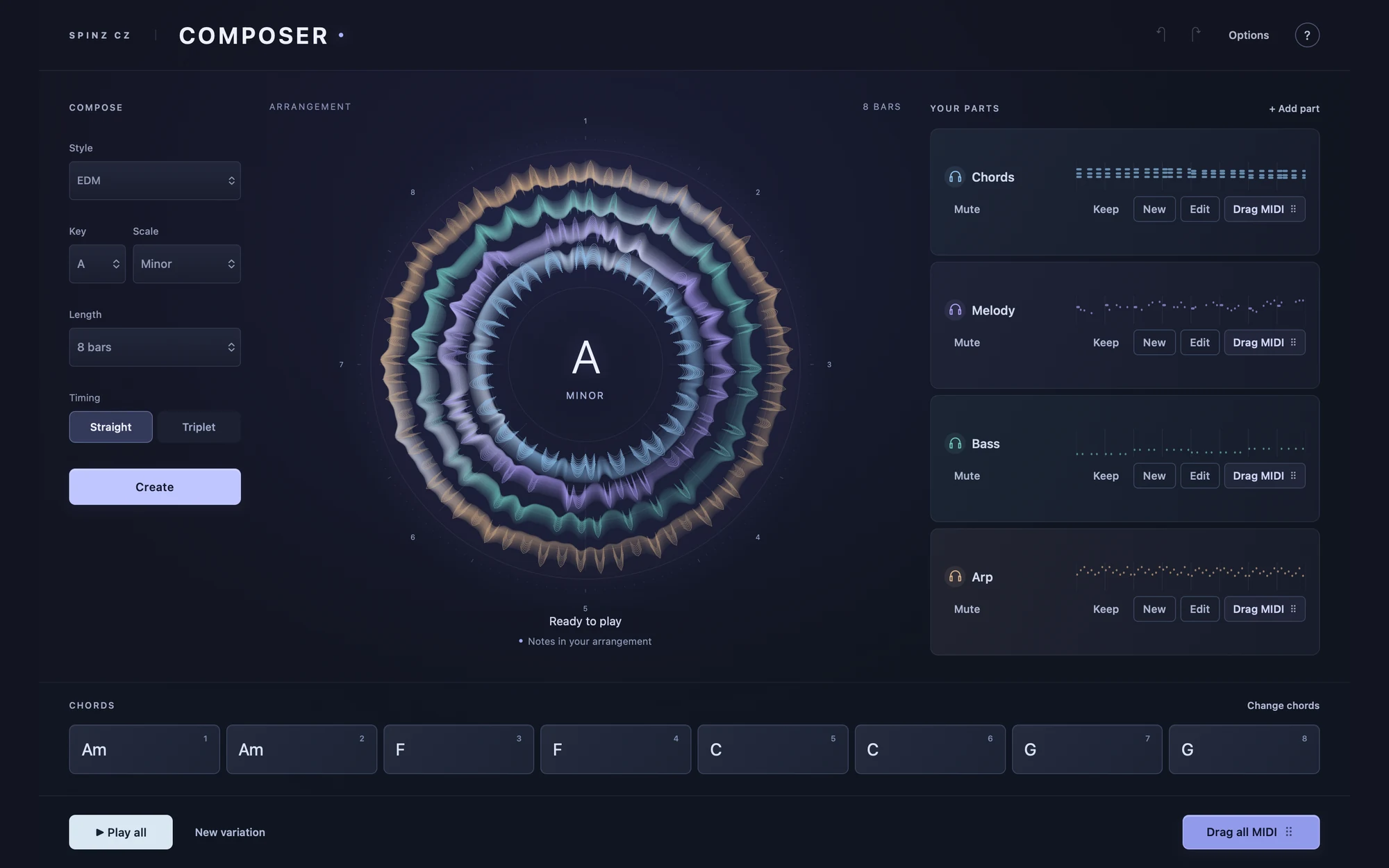
composer.Arrangement generator
Hear the parts belong together.
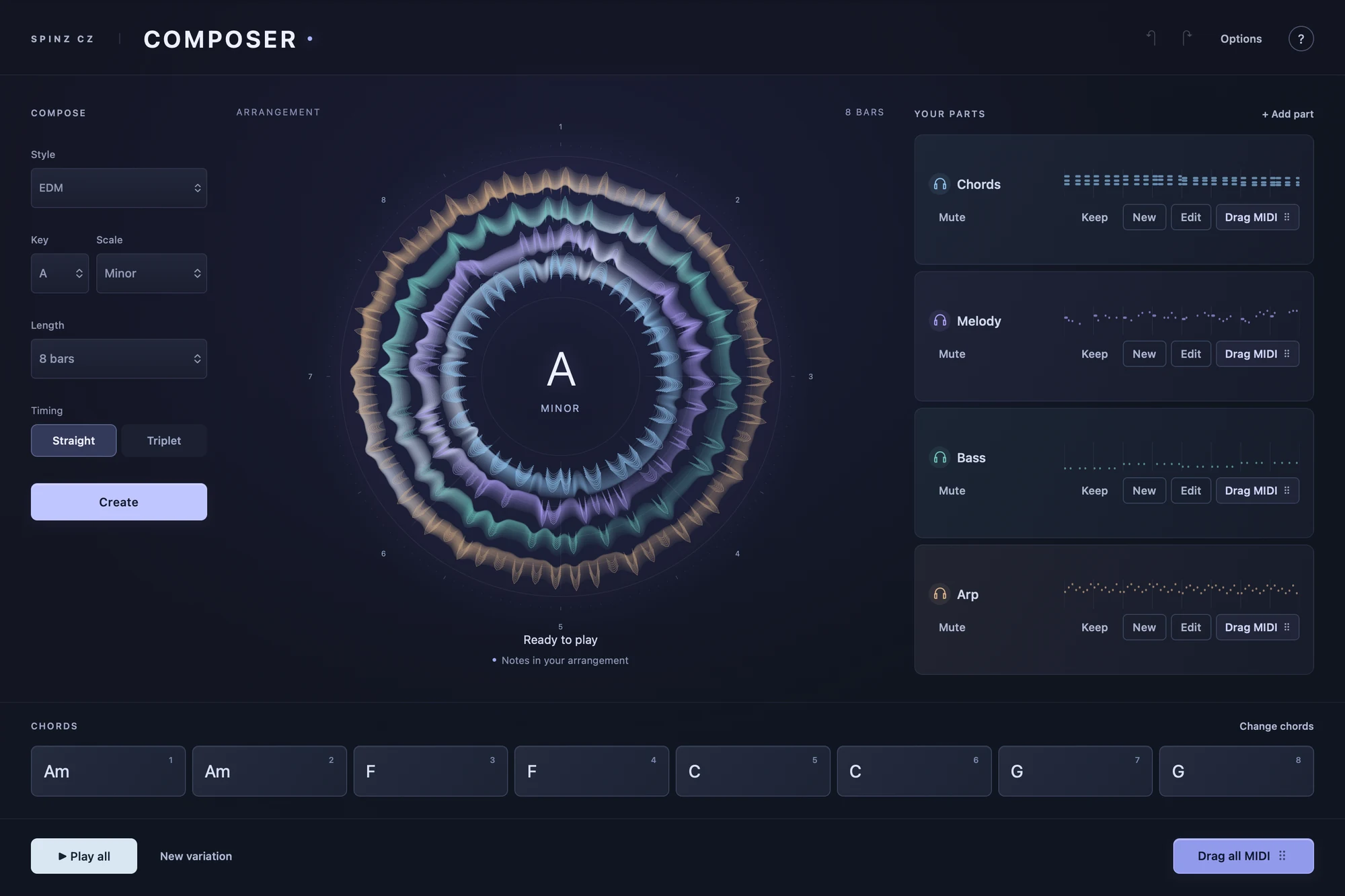
Choose a style, key and length, then build a coordinated MIDI arrangement. Keep the parts you like, mute the parts you do not need and create another variation without starting from an empty session.
Chords, Melody, Bass and Arp come from the same chords, so they fit together. Change one part without losing the others.
- Generate related musical parts from shared chords.
- Keep, change, mute and edit individual parts.
- Drag editable MIDI into your DAW and choose your own sounds.
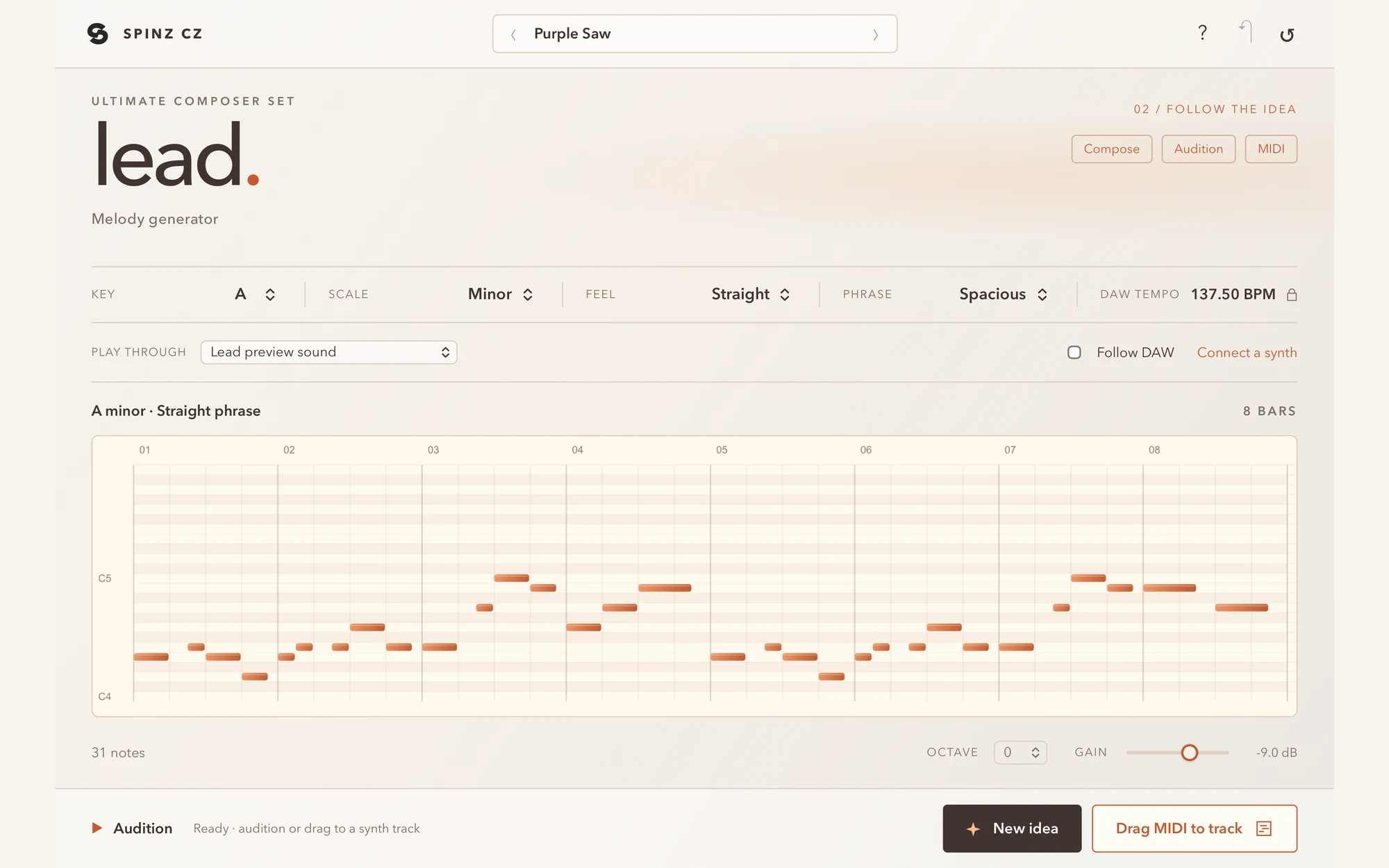
lead.Melody generator
Find the line your track is missing.
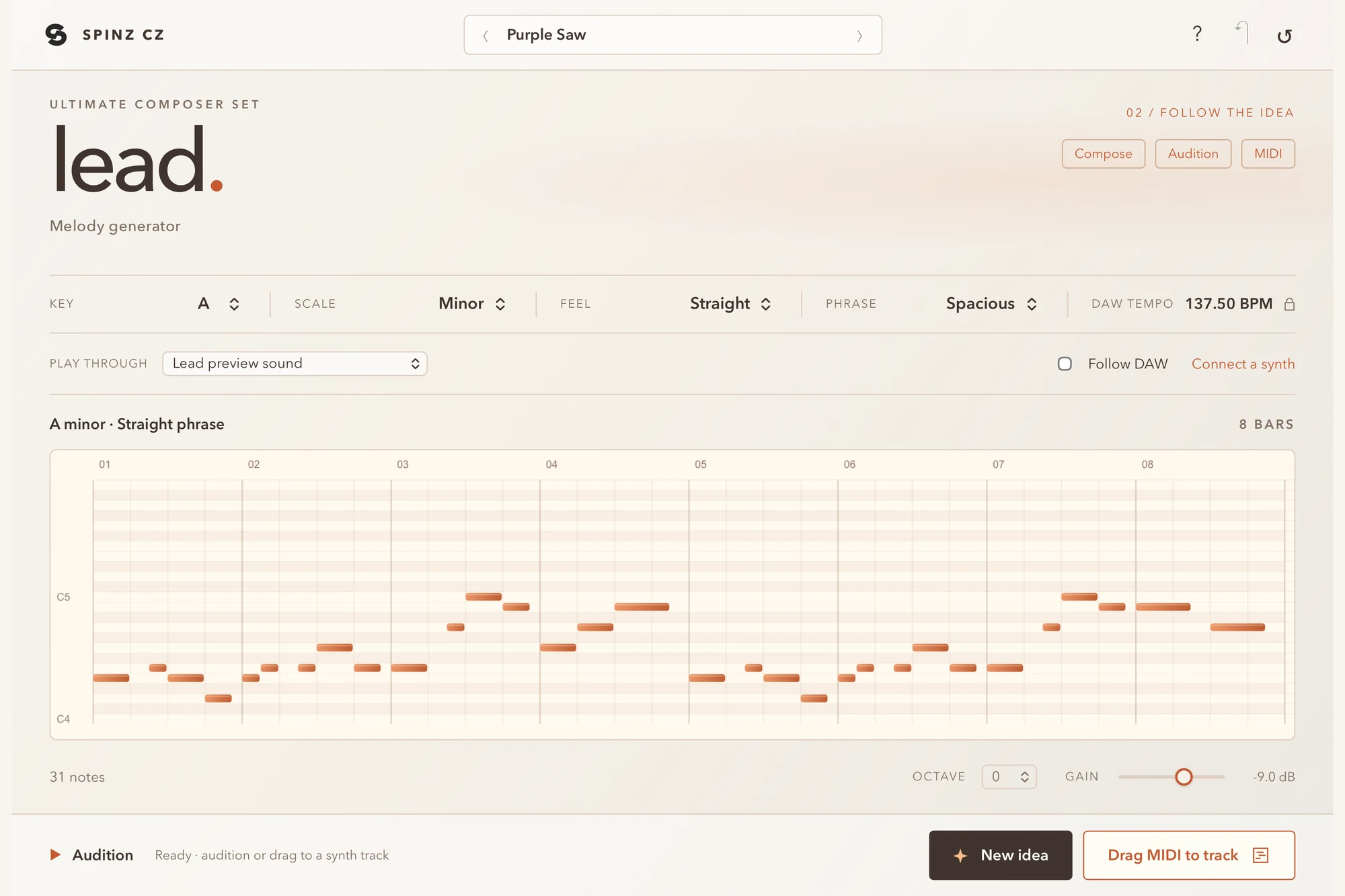
Create a melody in your chosen key and style, audition the idea, and drag its editable MIDI to the instrument you want to hear. Keep generating until the phrase feels right.
Pick the key, scale, feel and phrase. Press New idea until you hear the one.
- Generate melodies using your musical settings.
- Work at your DAW session tempo.
- Drag MIDI to a track using your own instrument.
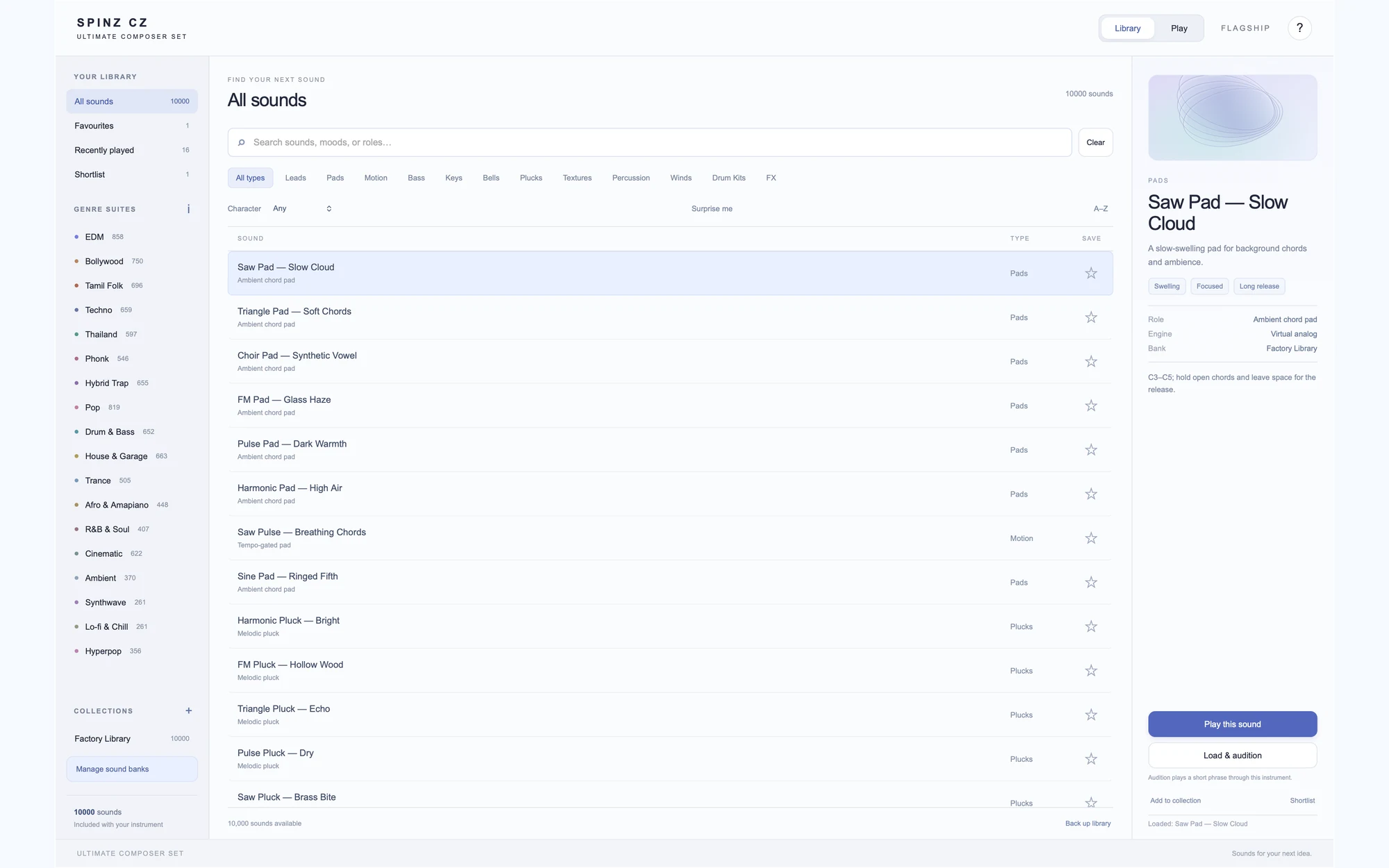
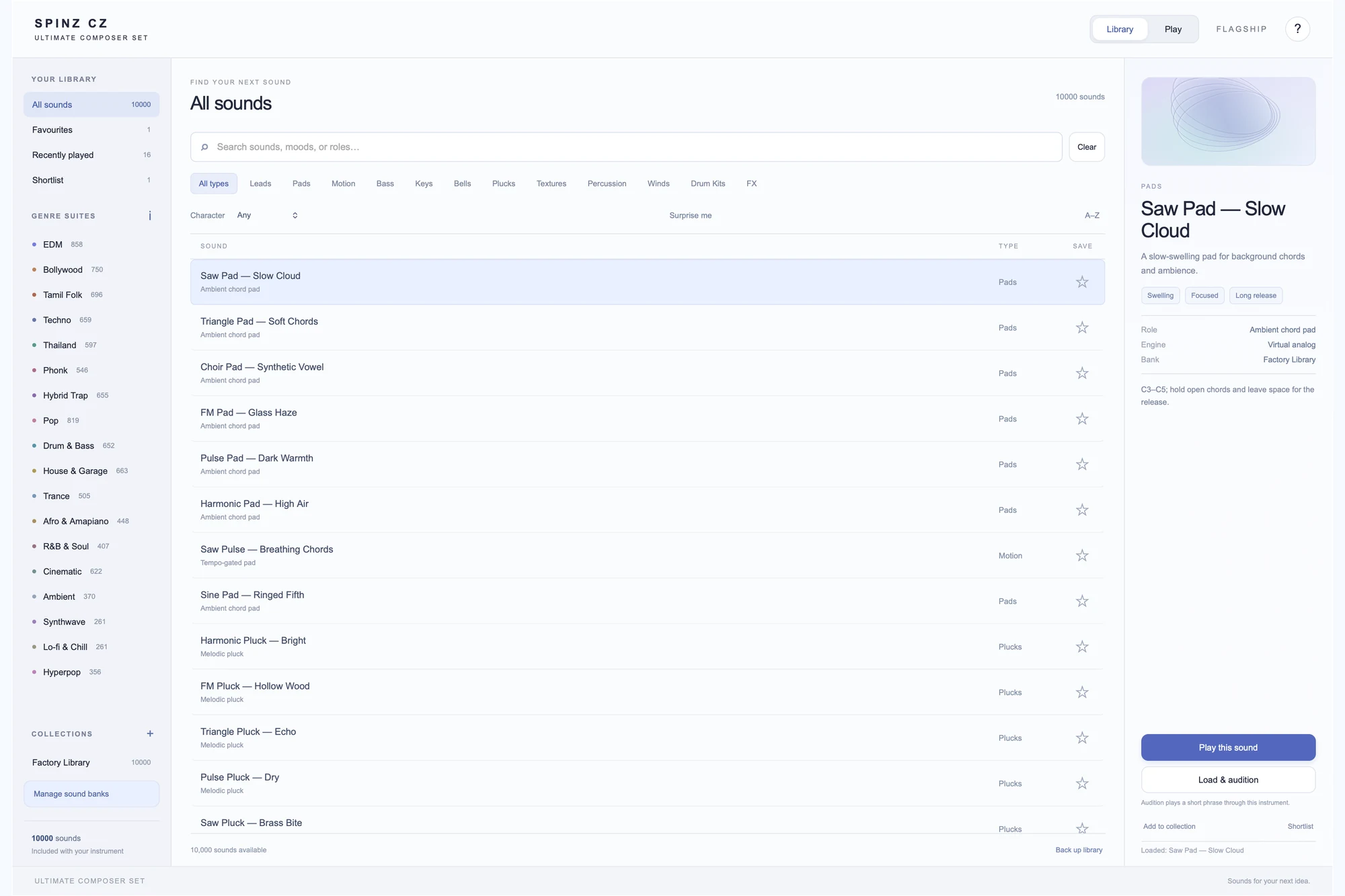
flagship.Sound library synth
A library for every part of your idea.
Browse sounds by genre suite and instrument type, save favorites and find a starting point quickly. Shape the selected sound with expressive controls, then play it from your keyboard or DAW.
10,000 sounds in 18 genre suites, from Bollywood and Tamil folk to techno, phonk and amapiano.
- Search the library by genre and sound role.
- Keep favorite sounds close at hand.
- Shape Clarity, Motion, Space and Character.
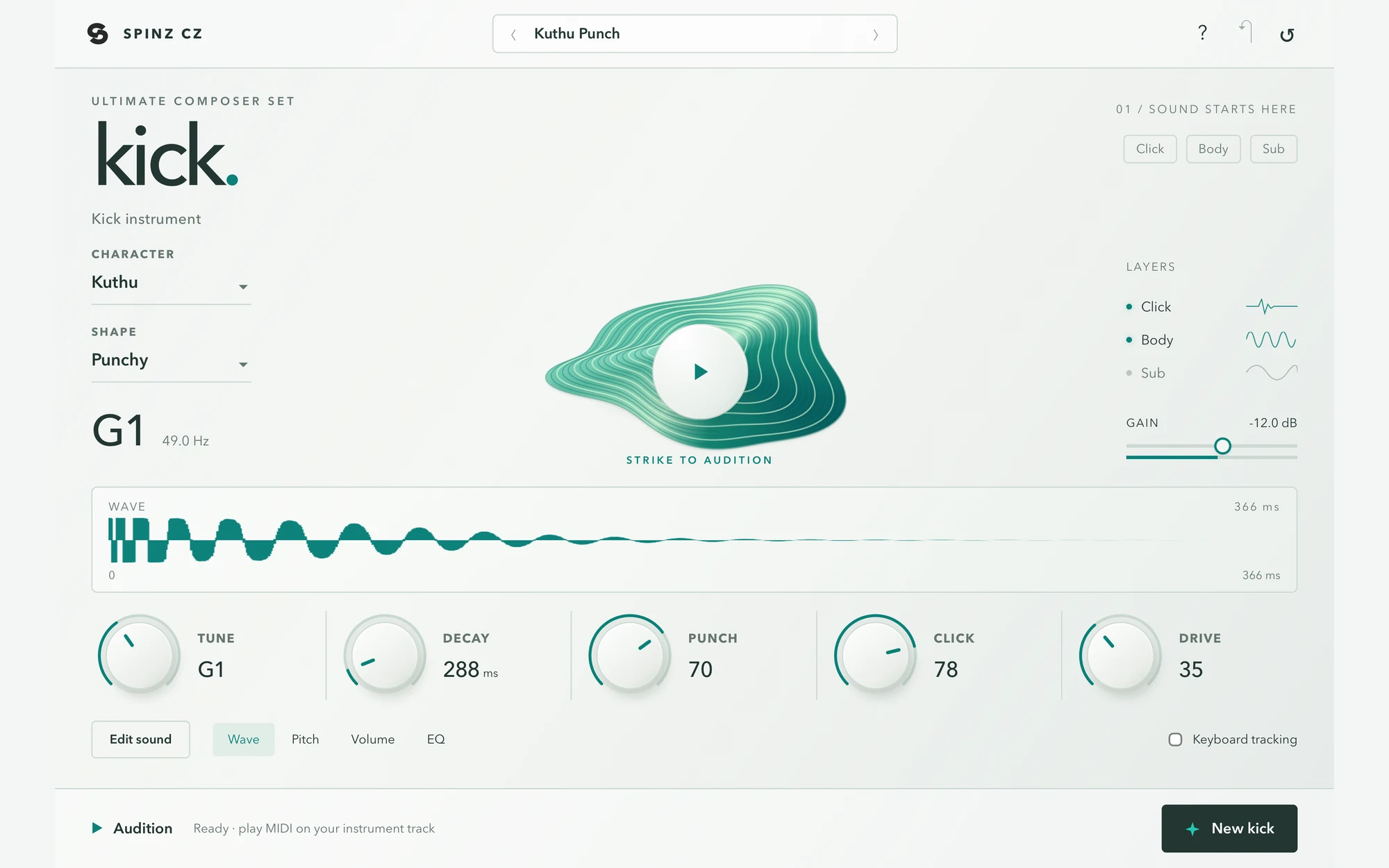
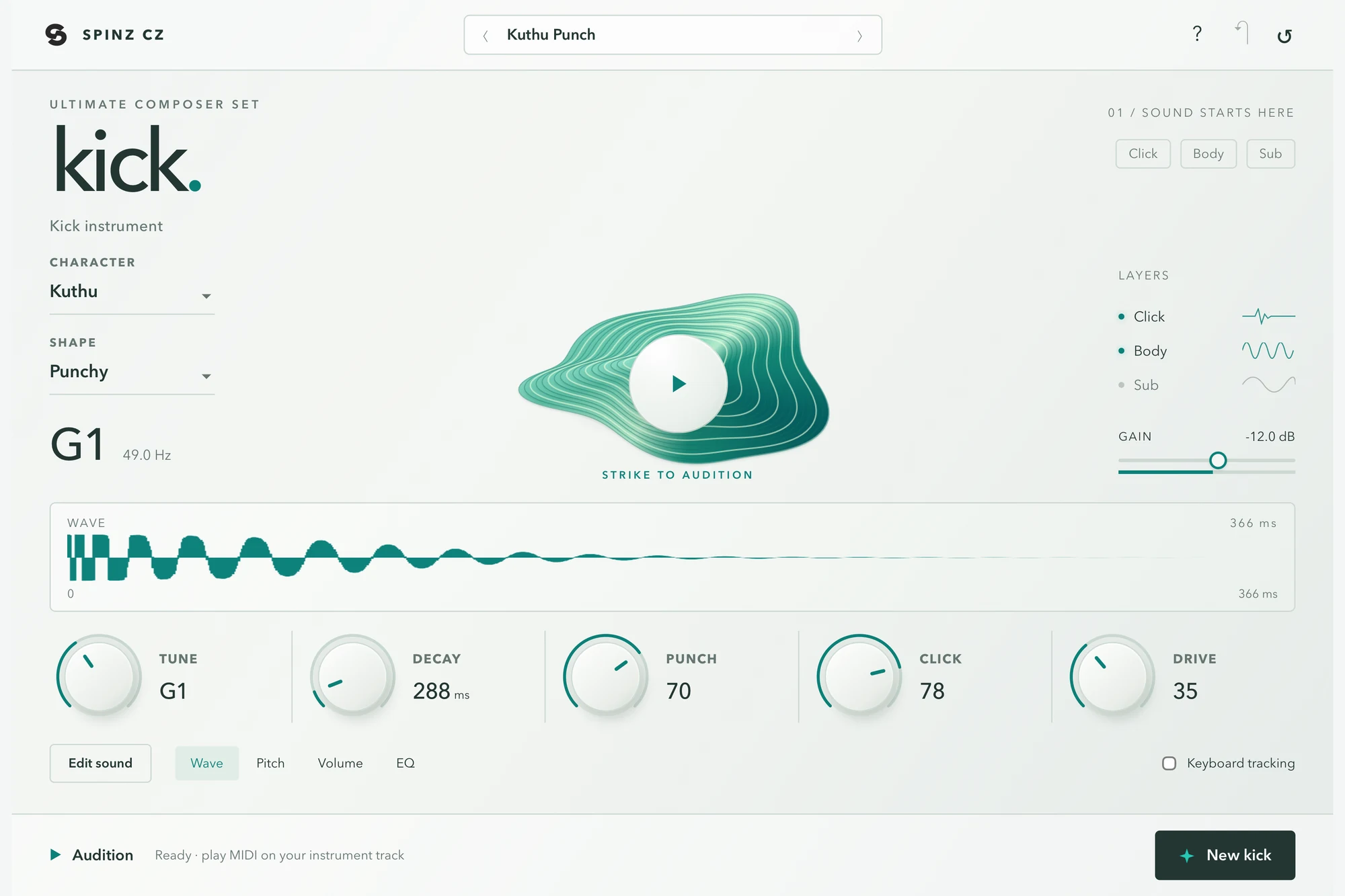
kick.Kick instrument
Your kick. Built for your track.
Shape a kick from its first click to its deepest tail, then play it with MIDI notes on your DAW instrument track. Keep the rhythm in your session and the sound design in Kick.
Start from a character like Kuthu, then turn Tune, Decay, Punch, Click and Drive until it sits right.
- Shape the click, punch and sub layers.
- Control the tail, drive, tone and final shape.
- Play notes in your DAW and follow its session tempo.
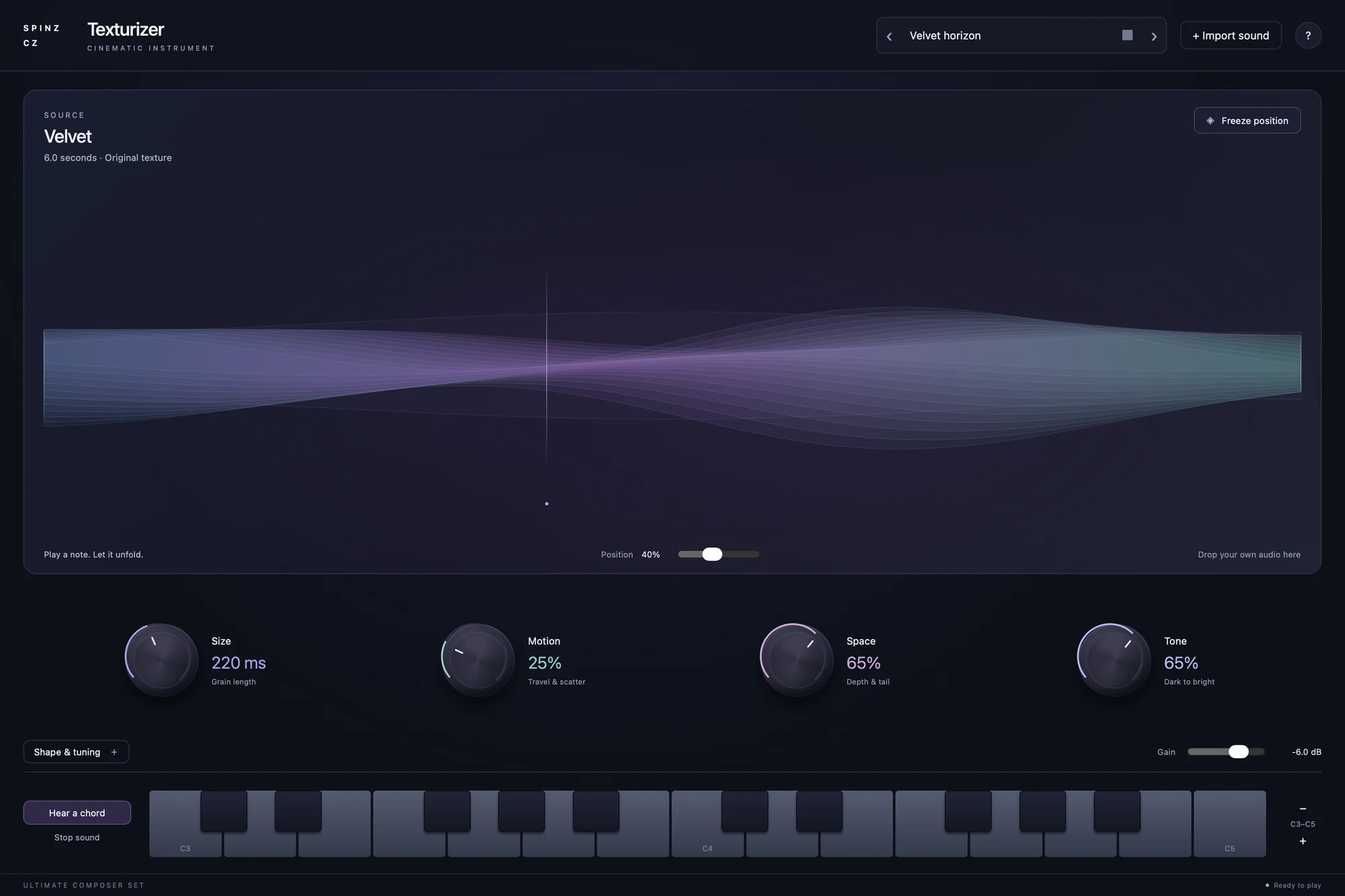
texturizer.Cinematic instrument
Turn a moment into an atmosphere.
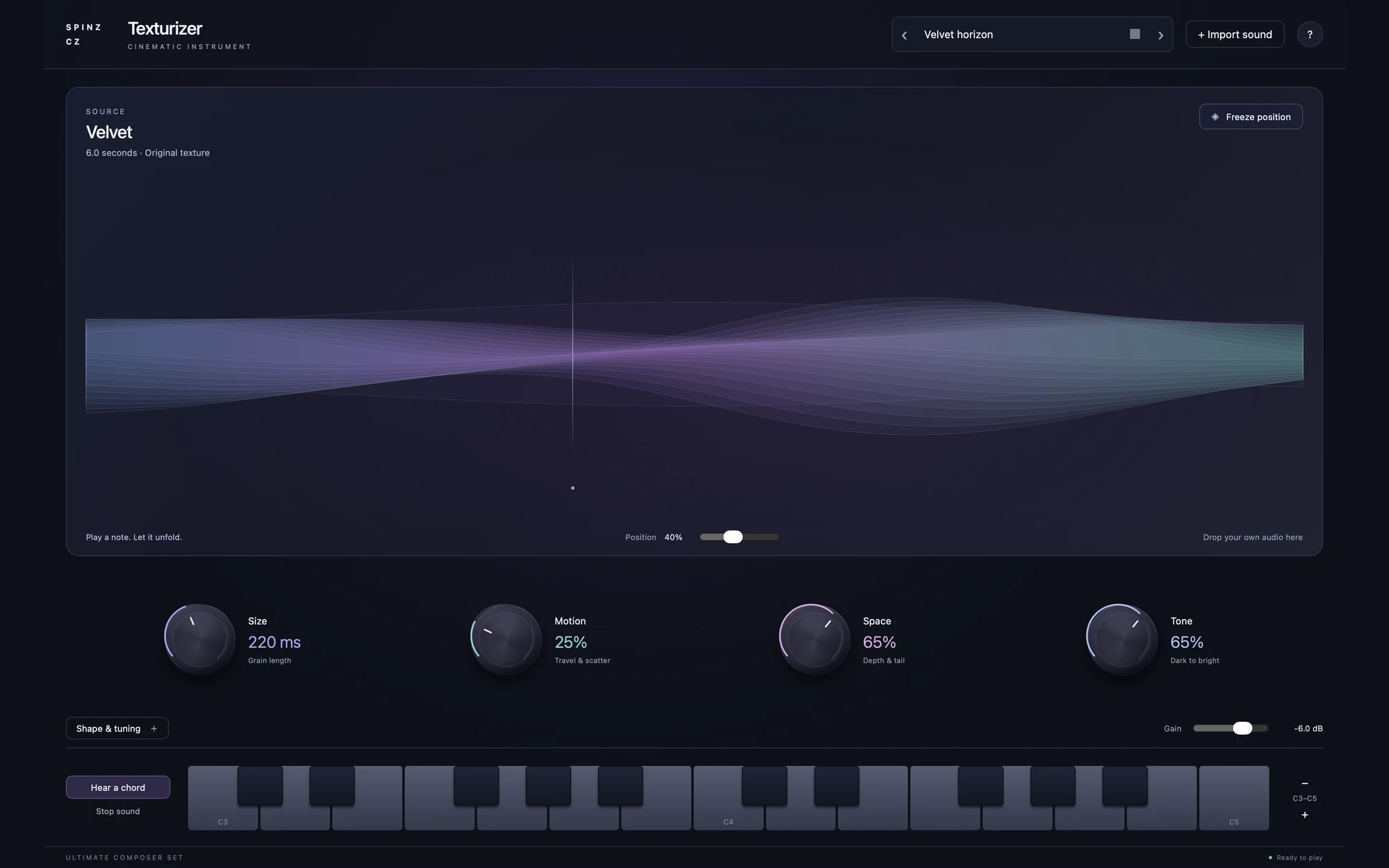
Drop in a recording or choose a library texture, then play it as an evolving instrument. Granular processing spreads short pieces of sound into pads and cinematic backgrounds.
Use your own recording, a voice note or a chord. Play it on your keyboard and let it move.
- Import your own audio or start from the texture library.
- Shape Size, Motion, Space and Tone.
- Freeze a source position and play the result with MIDI.
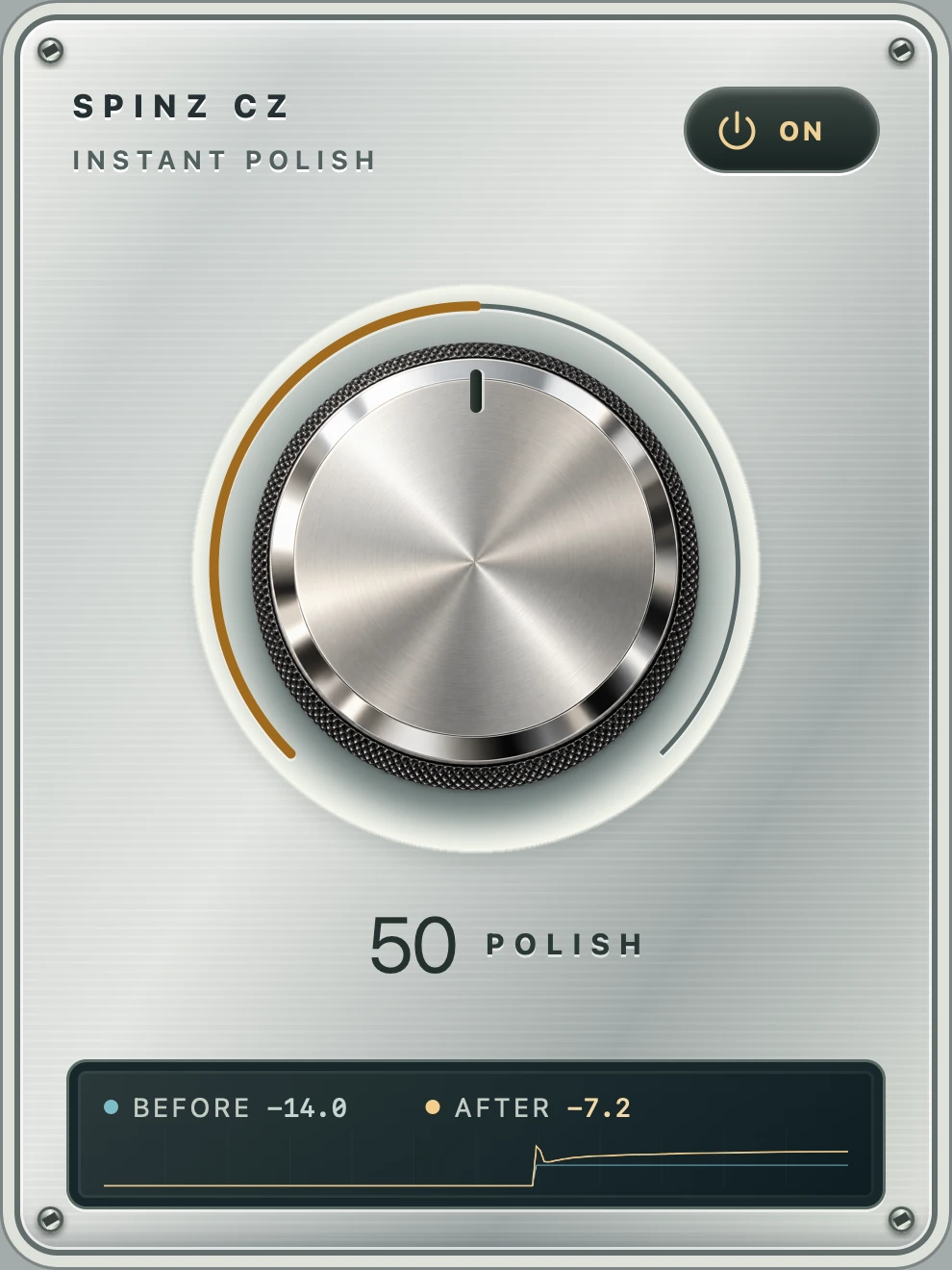
instant polish.Tone & dynamics
One control. A more finished sound.
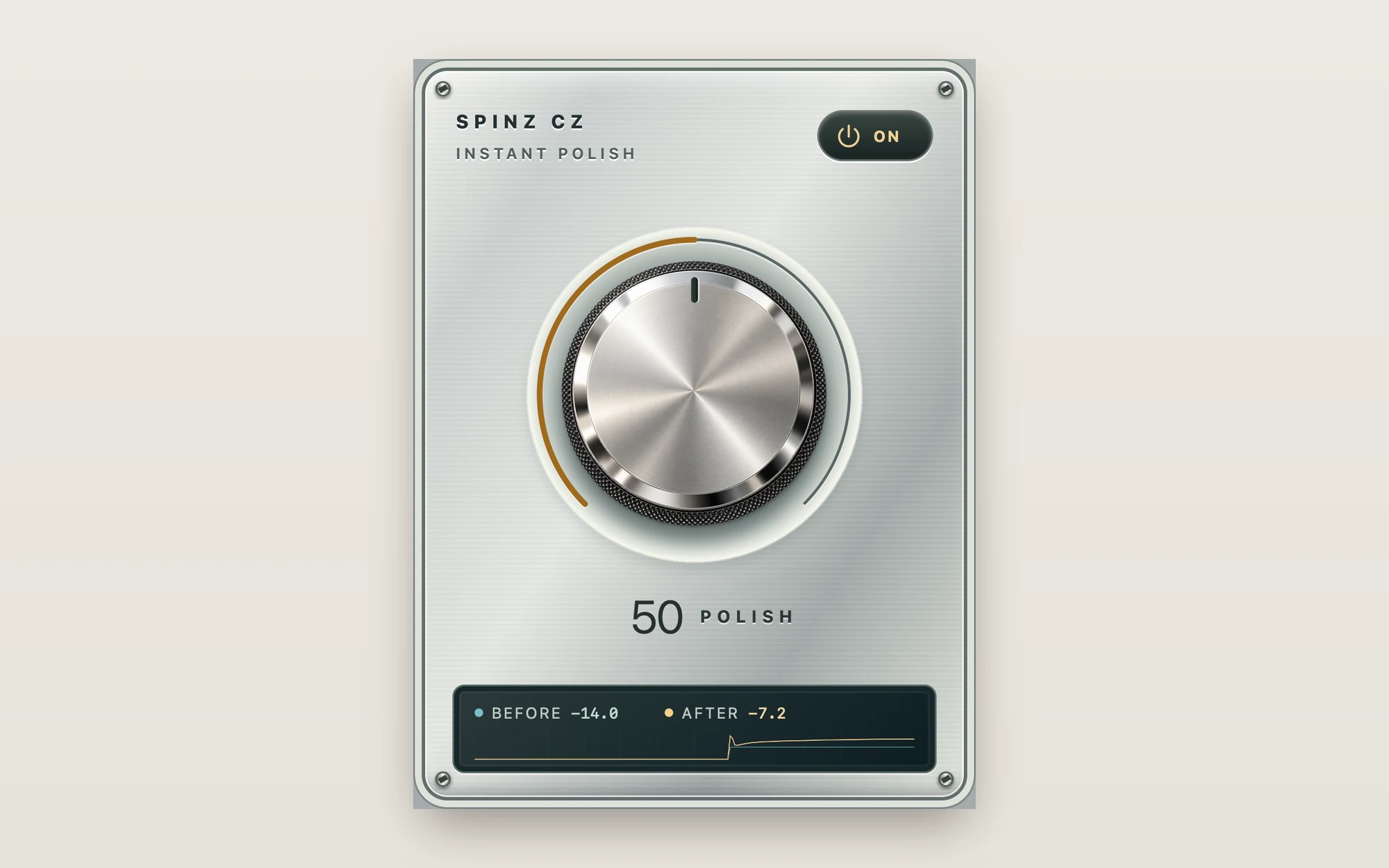
Turn Polish to bring tone shaping, dynamics and level processing into your track together. Compare the result as you work, from a lighter touch to a more noticeable treatment.
No settings to learn. Turn it up, switch it off to compare, and keep writing.
- One main Polish control for the combined processing.
- Switch the processing on or off to compare.
- Watch the before-and-after level display.
Your composing toolkit.
Start the song.
Keep it moving.
Write the parts. Play the sounds.
Polish it while you go.