
Start with what is actually on your drive.
This part changed recently and most articles have not caught up, so it is worth being precise. Everything here was checked against the platforms’ own documentation in September 2026.
Udio does not give you a file. Following its settlement and partnership with Universal Music Group, Udio disabled downloading of audio, video and stems. Subscriptions are still sold, but there is nothing to export. If you read a guide that walks you through mastering a Udio WAV, that guide is out of date.
Suno does give you a file, with limits worth knowing before you plan a release.
| What you get | On which plan | Worth knowing |
|---|---|---|
| MP3 download | Every plan, including free | Free downloads are personal use only, with no commercial rights. |
| WAV download | Pro and Premier | Web only. Mobile downloads fall back to MP3. Suno does not publish the sample rate or bit depth. |
| Stems | Pro for the standard splits, Premier for the detailed one | Delivered as time-aligned WAV files. |
| Download allowance | Free 7 for the lifetime of the account, Pro 20 a month, Premier 60 a month | Introduced in September 2026 and applied to your whole back catalogue, not just new songs. |
One useful detail: Suno counts one song as one download no matter how many formats you take. So pull the WAV, the MP3 and the stems together in one go rather than coming back later and spending another.
What the export actually comes out of.
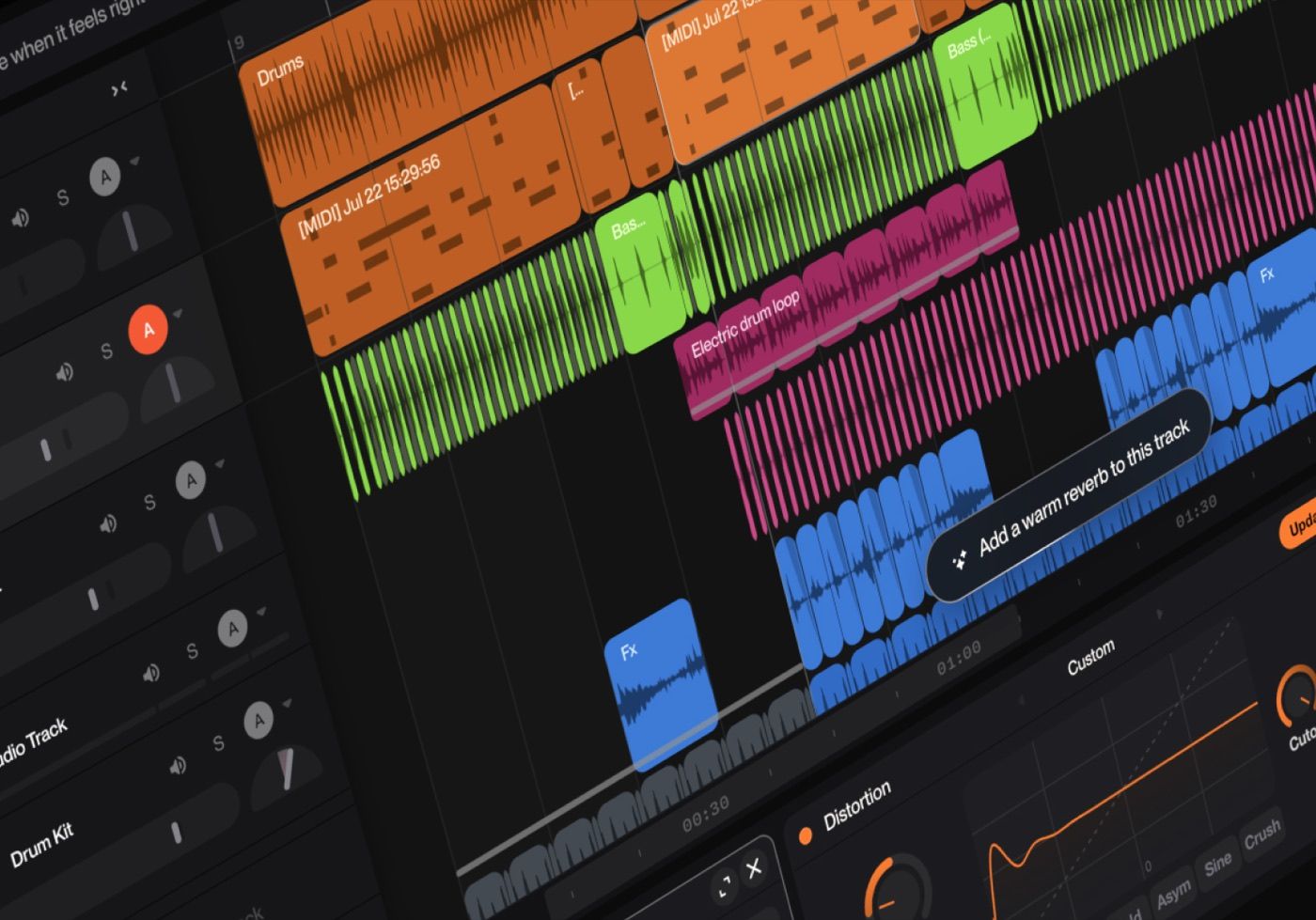
These are editorial examples, not endorsements or a buying list. Product names and interface images belong to their respective owners.
The stems are not what you think
This one surprised me, and it changes how you should use them.
When you split a Suno song into parts, it is not cutting the mix apart. Suno says so directly: instead of separating the existing audio, it listens to the song and regenerates each part from scratch with its model. You are not getting a slice of the original mix, you are getting a freshly generated guitar that matches what was there.
So treat those files as new recordings of the same idea, not as the components of your master. Do not assume that stacking them back up reproduces the stereo file you started with, and do not master the stems expecting the sum to match. If the stereo version is the one you like, master the stereo version.
Suno also warns that asking for an instrument that is not really in the song may spend your credits and hand you something unusable. Listen to each stem before you build anything on it.
What is actually measured, and what is just repeated
There is a lot of confident writing about how AI audio sounds. Most of it is selling an AI mastering service. Here is what has actually been measured, and by whom.
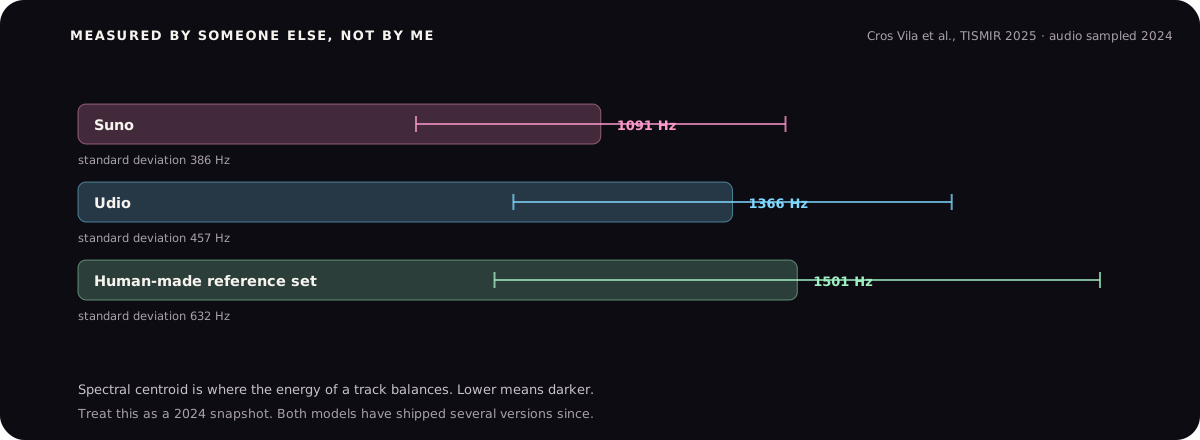
The same study found two more things worth knowing. The files measured at 48 kHz rather than the 44.1 kHz most people assume. And the loudness of the AI output was not meaningfully higher than commercial human music, which quietly kills the most repeated claim in this whole topic.
Separately, the research on the audio codecs these systems are built on documents a consistent pattern: high frequencies come out smeared or over-smoothed, and the upsampling stage leaves narrow energy peaks at predictable frequencies. That research describes the family of codecs rather than Suno specifically, so treat it as a strong hint about why the top end behaves oddly rather than a measurement of your file.
Things I am not going to tell you, because nobody has shown them to be true: that AI output arrives brickwalled with no headroom, that the low end is mono or collapses, or that the audio is secretly generated at 24 kHz. Those claims are everywhere. None of them are backed by anything I could verify.
Fix the seams before you master
Mastering works on the whole song at once, so it cannot fix a join at 1:42. Do this part first.
Suno generates up to eight minutes in one go, and anything longer is built by extending from the end. Extended sections are where the tell-tale problems live: a sudden change in tone, a drum that arrives with a different character, a reverb tail that stops dead.
Suno gives you a boundary you can drag in the song editor to tune the transition, which is the tool quietly admitting joins need attention. Use it. Then take the file into whatever editor you have and do the rest by hand.
Listen with your eyes closed and mark every join
Write down the timestamps. You will hear them more easily in one pass than hunting them one at a time.
Crossfade the hard edges
A short crossfade over a few milliseconds removes the click. A longer one over a bar can hide a tonal change.
Match the level either side
Sections often arrive a decibel or two apart. Fix that with automation before mastering, or the compressor will do something odd at that exact point.
Cut on a transient, not in a gap
An edit hidden under a snare hit is invisible. The same edit in a quiet bar is obvious.
Check the very start and the very end
Generated audio often starts abruptly or ends mid-tail. Add a short fade at each end.
How to master it once the file is clean
The approach is ordinary mastering with one adjustment: be careful in the top end, because that is where this audio is weakest.
- Go easy on the high shelf. The instinct with a dark file is to add air. On this material that often brings up smear rather than detail. Add less than you think, then check on headphones.
- Use a reference. A commercial record in the same style will show you quickly whether your top end lift is helping or just making it brittle. There is a full guide on reference track mastering.
- Compress less. Compression lifts quiet detail, and the quiet detail here includes codec artefacts. Gentle is better.
- Watch the true peak. Set the ceiling at -1 dBTP. This audio has already been through a lossy stage, so leave room for the next one.
- Judge it quiet. Play it at low volume against a record you like. Loudness hides the exact problems you are trying not to amplify.
Honest expectation: mastering makes a generated track sit properly next to other records. It does not turn a four out of ten idea into a seven. If the song is not working, the problem is the song.
Before you release it
Two practical things, neither of which is about audio.
Check your rights. On Suno, commercial rights come with a paid subscription, and the free tier explicitly does not have them. Suno also says plainly that granting you commercial use does not guarantee the song is protected by copyright, which is a different question and one that is still moving.
Check where you are distributing. Several platforms now ask you to declare AI-generated content, and the rules differ between them. Look it up for your distributor rather than assuming, because getting this wrong can take a release down.