
You have read that -14 LUFS is the streaming standard.
It is not.
I went and read what each service actually publishes. Two of them give you a number. Five of them give you nothing. The figures you see in every chart for Apple Music, YouTube, Amazon, Tidal and Deezer come from blog posts, not from the companies.
That matters, because people master to those numbers and then feel like they did something wrong when the song sounds quiet next to a record they love.
The short version: loudness normalization is real and worth understanding. The exact target you have been given is mostly folklore.
What LUFS actually measures
Turn on a song and you judge how loud it feels over a few seconds. Not the single loudest snare hit. The overall weight of it.
LUFS measures that. It listens to the whole song, weights the frequencies roughly the way your ears do, and gives you one number for the average loudness. It is always negative, because it counts down from the loudest a digital file can be. A song at -8 LUFS feels louder than a song at -14 LUFS.
A peak meter measures something different. It shows the single highest point in the file. You can have a very quiet song with one loud click in it, and the peak meter will look full while the song feels small. That is why loudness and peak level are two separate problems, and why fixing one does not fix the other.
Plain version: LUFS is how loud it feels. Peak is how close the file came to the edge. Streaming services adjust the first one and warn you about the second.
Two meters that show both numbers side by side. Any meter built to the EBU R128 standard will agree with them within a fraction of a decibel.
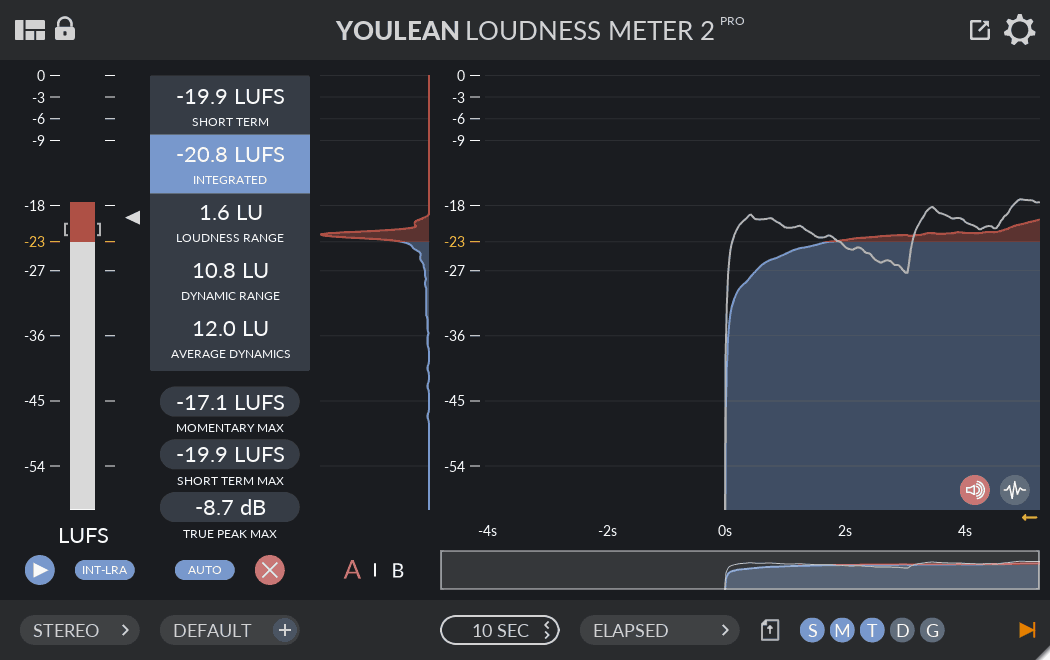
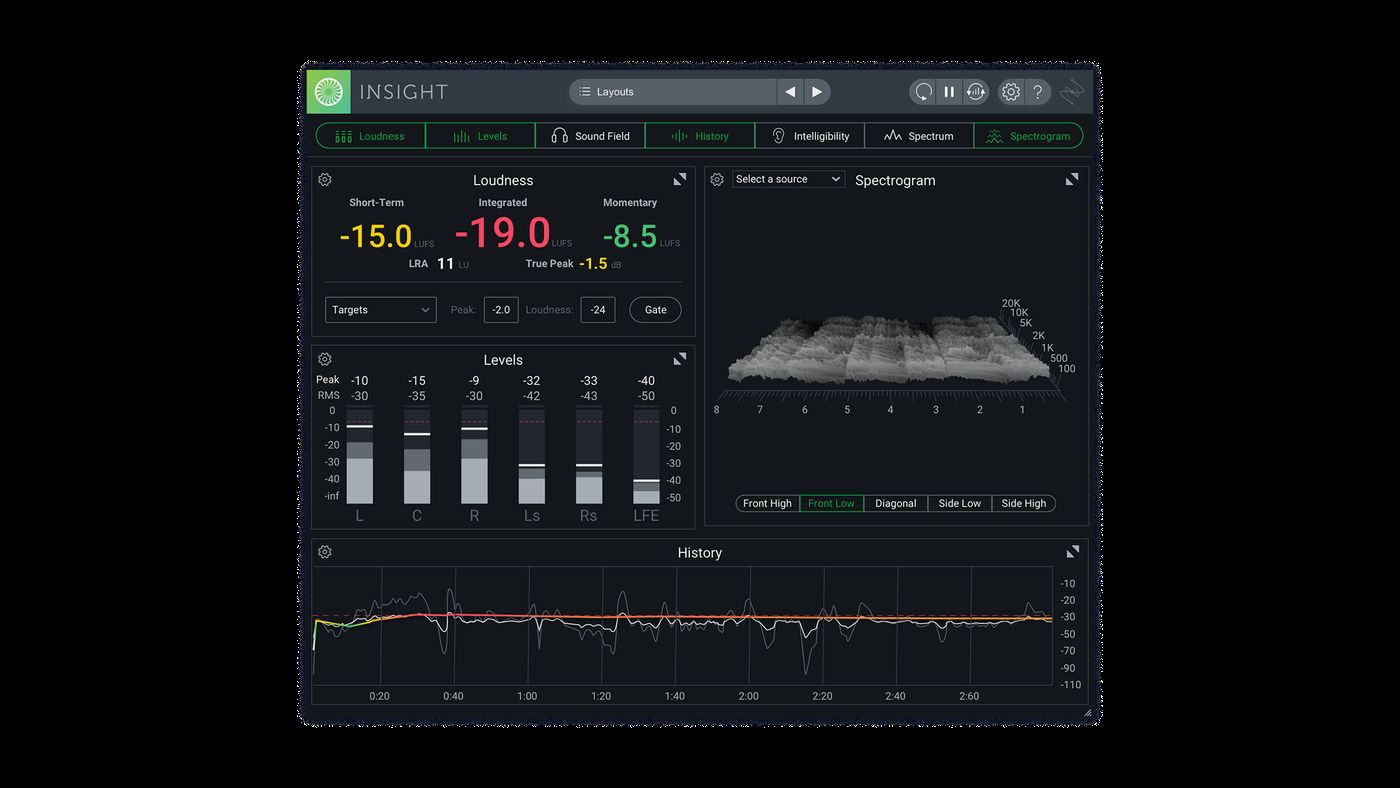
These are editorial examples, not endorsements or a buying list. Product names and interface images belong to their respective owners.
What each service actually publishes
I checked every one of these against the company’s own support pages and artist documentation in September 2026. Here is what is there, and what is not.
| Service | Published loudness target | Published true peak advice |
|---|---|---|
| Spotify | -14 LUFS, stated plainly | Below -1 dBTP, or below -2 dBTP for louder masters |
| SoundCloud | -14 LUFS, stated plainly | Below -1 dBTP, or below -2 dBTP for louder masters |
| Apple Music | Nothing. The Apple Digital Masters document has a loudness section with no number in it | Nothing. It asks you to avoid clipping |
| YouTube and YouTube Music | Nothing | Nothing |
| Amazon Music | Nothing. The feature is documented, the number is not | Nothing |
| Tidal | Nothing. There is no loudness page at all | Nothing |
| Deezer | Nothing. The on and off switch is documented, the number is not | Nothing |
The widely quoted -16 LUFS for Apple Music traces back to two industry blog posts from 2022, neither of which links to anything from Apple. The -14 LUFS for YouTube comes from someone reading the Stats for nerds panel in 2019. The Tidal figures come from reporting in 2016 and 2017 about an app that has been rebuilt several times since.
None of those are lies. They are measurements and guesses that hardened into facts because they got repeated. Treat them as a rough idea of where playback sits, not as a specification you have to hit.
What happens to a loud master
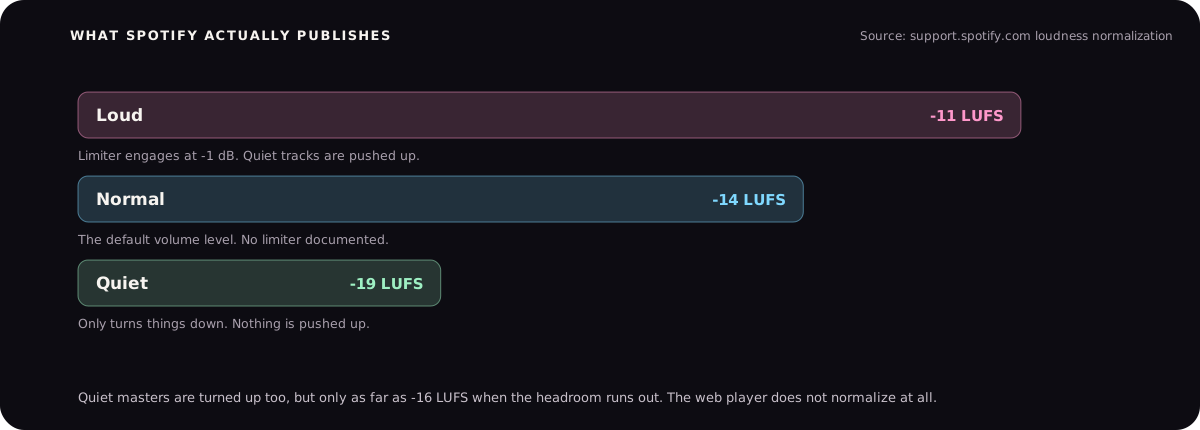
Say you master at -7 LUFS and the listener is on Spotify at the default setting.
Spotify turns your song down by about 7 dB so it sits with everything else. Nothing is re-processed. No extra limiting is added. Your song simply plays quieter than you made it.
Here is the part that stings. All that loudness you fought for is gone, but the cost of getting it is still there. The flattened transients, the pumping, the squashed kick. Turning down does not give any of that back. You paid for loudness and then had it taken away at the door.
It also works the other way. A quiet master gets turned up. Spotify only pushes it as far as -16 LUFS though, and it stops early if your file does not have the headroom for more. So a very quiet, very dynamic master does not automatically arrive at -14 either.
Worth knowing: Spotify says normalization does not run in the web player or on some third-party devices like TVs and speakers. If you are A and B testing your master in a browser tab, you are hearing it un-normalized.
The number I actually use
I do not master to a LUFS target. I master until the song sounds finished, then I look at the meter to make sure I have not gone somewhere silly.
For most songs that lands between -12 and -8 LUFS. Club and kuthu tracks come out louder because that is what the room and the car want. A slow, open song comes out quieter because squashing it would ruin the thing that makes it good.
Here is every master I have released, measured properly rather than remembered.
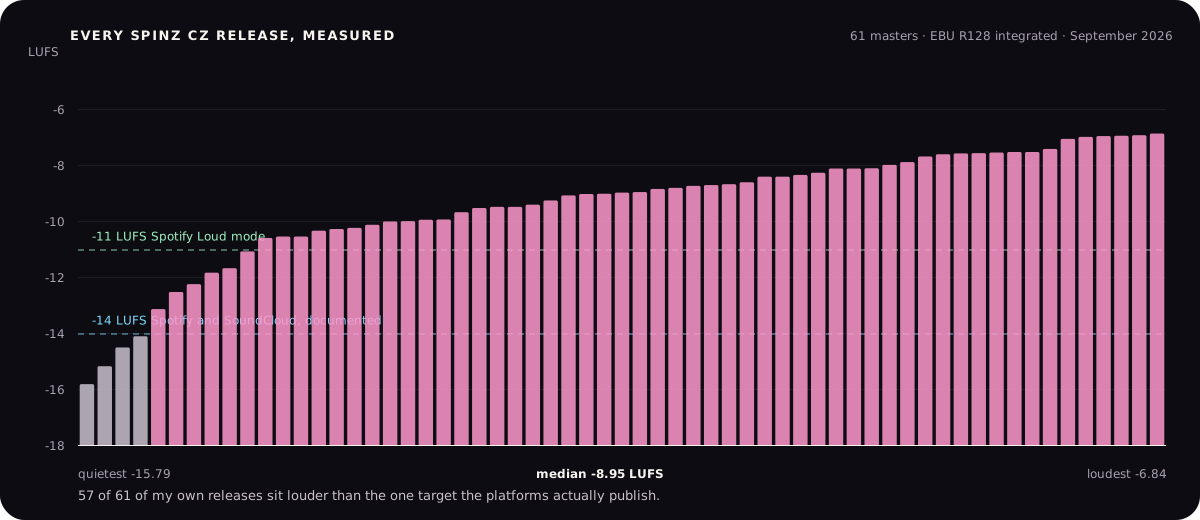
If you want one starting point rather than a range, use -14 LUFS and a true peak of -1 dBTP. It is the only target two services actually publish, it is safe everywhere, and no platform will punish you for it. Then let the song pull you away from it if the song needs that.
The rule I would give a beginner: make it sound good first. Check the meter second. If the meter and your ears disagree, your ears win, but go back and find out why they disagree.
True peak matters more than the LUFS number
This is the part people skip, and it causes more damage than the loudness target ever will.
Your file stores a series of numbers. Your speaker plays a smooth curve drawn through them. That curve can go higher than any of the stored numbers. The gap between the two is the inter-sample peak, and a normal peak meter never shows it.
It becomes audible when the song gets converted to MP3 or AAC for streaming. The encoder redraws that curve, the peaks push past the ceiling, and you get a crackle or a hard edge that was never in your master. Same file, different playback, new distortion.
That is what the -1 dBTP advice is for. It leaves room for the curve. Spotify suggests going to -2 dBTP if your master is on the loud side, because a loud master has more of these peaks to begin with.
I will be honest about my own catalogue here: most of my releases peak above 0 dBTP. That is a habit from making club records where the limiter was doing the talking, and it is the thing I would go back and change. It is why the tool on this site now watches true peak rather than sample peak.
There is a full walkthrough of how this distortion happens, and how to hear it, in the guide on why your master sounds distorted.
What to do before you upload
Master until it sounds right
Do not open a meter yet. Get the song sounding finished on the speakers you trust.
Check the integrated loudness
Any free loudness meter will do. You are looking for a sane number, not a perfect one. Somewhere between -14 and -8 LUFS covers almost everything.
Check the true peak, not the sample peak
Set your meter to true peak and aim for -1 dBTP. If your master is loud, -2 dBTP is safer.
Listen to it quiet
Turn your monitors down and play it against a song you like. If yours falls apart at low volume, the loudness was covering something.
Upload one master everywhere
Do not make a separate quiet version for one platform. Normalization handles the difference, and you will only confuse yourself.