
Headroom is just empty space at the top of the file.
A digital audio file has a hard ceiling called 0 dBFS. Nothing can go above it. Headroom is the gap between your loudest peak and that ceiling. Peaks at -6 dBFS means six decibels of room left.
That is the whole concept. The confusion comes from what people think it does.
Headroom does not make your mix sound better. It does not give the master more to work with, and it does not improve quality. Turning a mix down does not add detail. All it does is move the same audio further from the ceiling.
So why bother? Because headroom is evidence. A mix with room at the top is usually a mix that was not squashed to get there. That is what the mastering stage actually cares about.
Why -6 dBFS became the number
It is a good habit that got promoted to a law.
Back when songs ran through hardware mixers and early digital systems, level really did matter at every stage. Too hot and you distorted something on the way. Leaving six decibels of room was sensible insurance.
A modern session does its maths with so much internal room that it does not run out the way those systems did. You can push a channel well past 0 inside the session and pull it back with no harm done. The ceiling only bites when the audio leaves as a normal exported file.
So the number survived, and it is still useful, but for a different reason than the one it was invented for. It is now mostly a way of noticing that you did not put a limiter on the mix bus.
Honest answer: a mix peaking at -3 dBFS and the same mix peaking at -9 dBFS produce the same master. The first thing any mastering stage does is set its own working level.
Peak level is not loudness
This is where the real confusion sits, and it is worth a minute.
Peak level is the single highest point in your file. Loudness is how heavy the song feels over time. They are not the same measurement and they do not track each other.
A sparse, dynamic song can peak at 0 dBFS and still feel quiet, because most of the song sits far below that one peak. A dense, compressed song can peak at -3 dBFS and feel enormous, because almost all of it sits near the top.
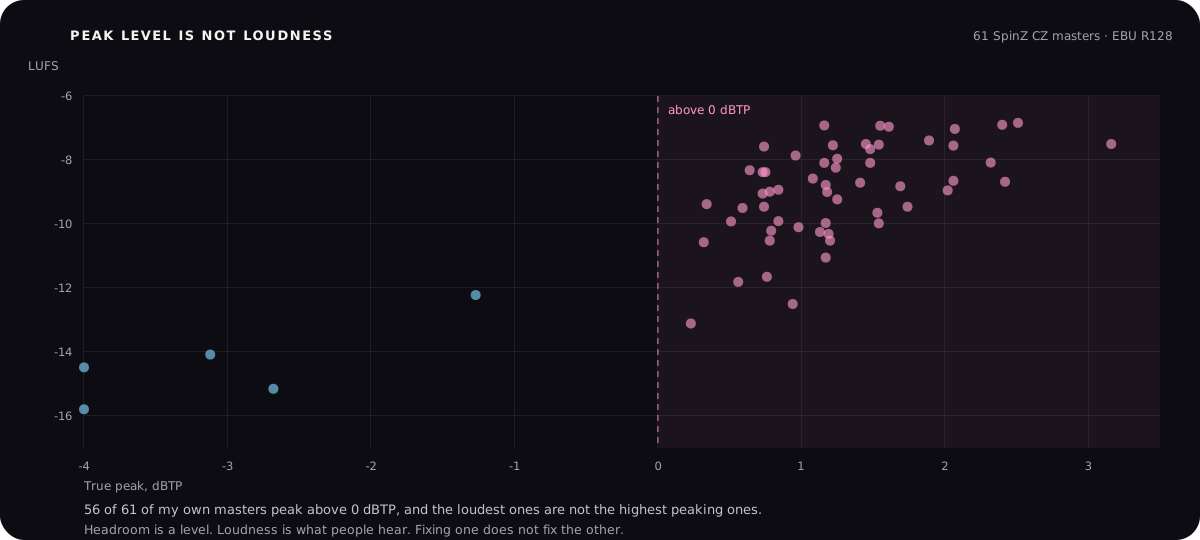
Both numbers on one screen.
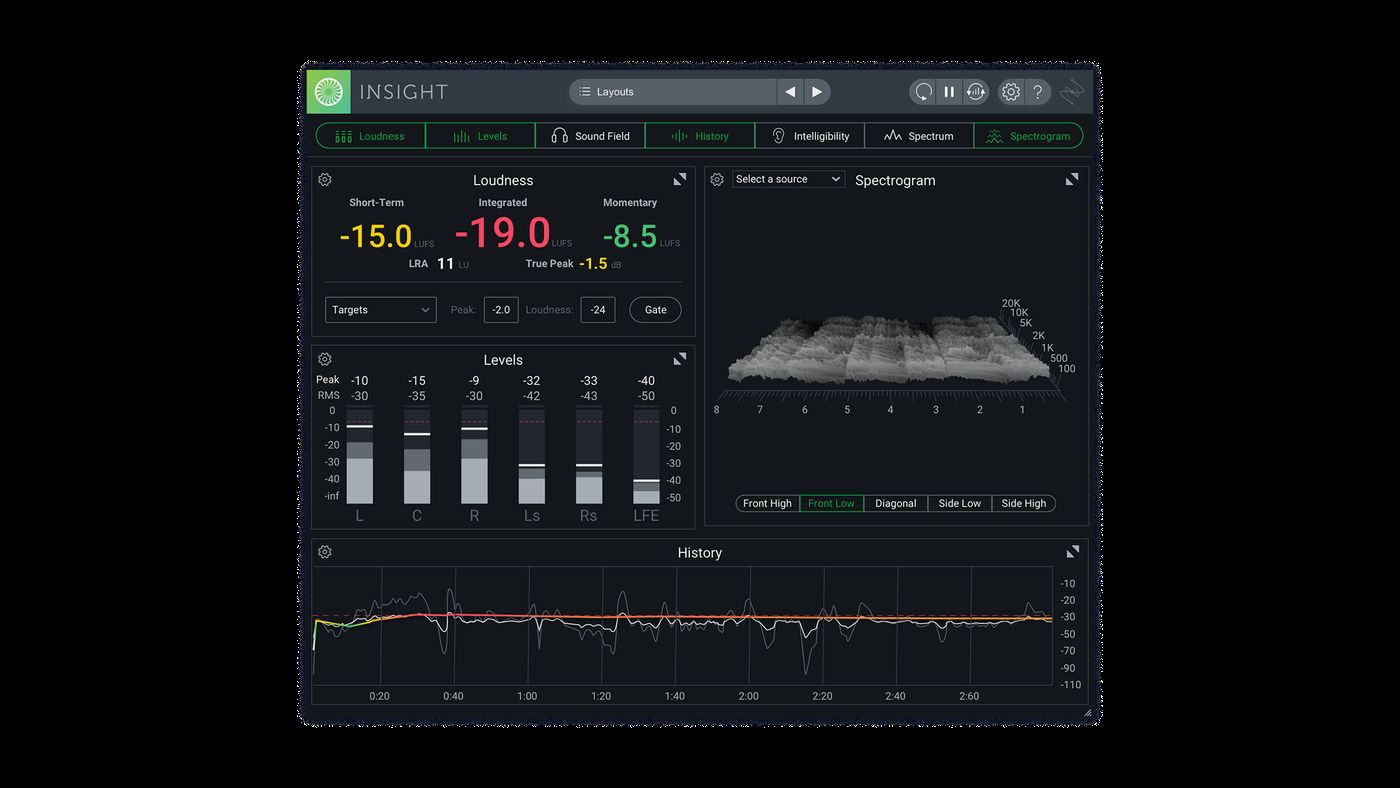
These are editorial examples, not endorsements or a buying list. Product names and interface images belong to their respective owners.
The practical version: setting a peak target does not set a loudness. If you want to know how loud your song is, you need a loudness meter, which is covered in the guide on LUFS targets.
The level mistake that actually causes damage
Forget the target for a moment. There is only one level error that genuinely hurts, and it is this: the mix already hit the ceiling and got cut.
Once a peak has been flattened against 0 dBFS, that shape is gone. Turning the file down afterwards moves the flat edge down, it does not make it round again. So a mix that clipped and was then exported at -6 dBFS looks like it has lovely headroom, and is already damaged.
This is why "peaks at -6" is a weaker check than it looks, and why "nothing clipped on the way" is the real one.
Look at the mix bus meter through the whole song
Not just the chorus. Watch for the clip indicator on the loudest section, which is usually the last chorus or the drop.
Check the individual channels too
A channel can clip inside the session and print that distortion into the mix even when the mix bus looks fine.
Zoom in on the loudest moment after exporting
Flat tops on the waveform mean it clipped. Rounded peaks mean it did not.
Take loudness plugins off the mix bus
If a limiter is there only to make the demo feel finished, remove it and export again. Keep it only if it is part of the sound you wrote.
Then set the level
Pull the master fader until peaks land somewhere around -6 to -3 dBFS and export. This step is the easy one.
What about 32-bit float?
A 32-bit float file can hold values above 0 dBFS without clipping them. Pull it down afterwards and the peaks come back intact.
That is genuinely useful, and if your tool accepts 32-bit float it is a fine format to send. But two things get misunderstood.
First, it only protects the export. If something clipped earlier, inside a plugin or on a channel, that damage is already printed and float will not undo it.
Second, the moment that file becomes a normal 24-bit, 16-bit or MP3 file, everything above the ceiling clips right then. Float delays the problem to a point where you are not watching.
Use this rule: 32-bit float is a safety net, not a licence to run hot. Set the level properly and let float catch mistakes rather than plans.