
Same rules as the last comparison.
Every Waves fact here comes from Waves’ own pricing page, FAQ and support documentation, read in September 2026. Where they do not publish something, I say so. I am not going to claim my audio sounds better than theirs, because I built one of them and you have no reason to take my word for it.
One caveat before the numbers: the Waves prices below were showing against higher struck-through list prices, which usually means a promotion. Check what is on the page on the day you buy.
Free allowances and paid exports
| Waves Online Mastering | SpinZ CZ | |
|---|---|---|
| Free tier | A 30-second preview of any track. Unlimited previews, no download. | 2 free trials shared across all online tools, downloaded in full. |
| Pay per track | $3.99 for one credit, down to $2.99 a track in a 15-pack. Credits do not expire. | Not offered. |
| Subscription | Standard $71.64 a year for 36 credits. Pro $169.99 a year, unlimited. | Premium covers every online tool through one membership. |
| When you pay | A credit is spent only when you export the finished master. | 2 free trials shared across all online tools. No card required. |
| Revisions | Unlimited while you are still in the preview stage. Once exported, the credit is spent. | Each run counts toward your current allowance. |
SpinZ CZ Standard covers all online tools for RM79 monthly or RM699 yearly; Pro adds Beat Studio for RM99 monthly or RM999 yearly. Start with 2 shared trials.
There is no current SpinZ CZ paid mastering price to compare with Waves credits.
Check current access: this comparison does not offer a paid SpinZ CZ mastering plan.
What you are looking at when you use each one.
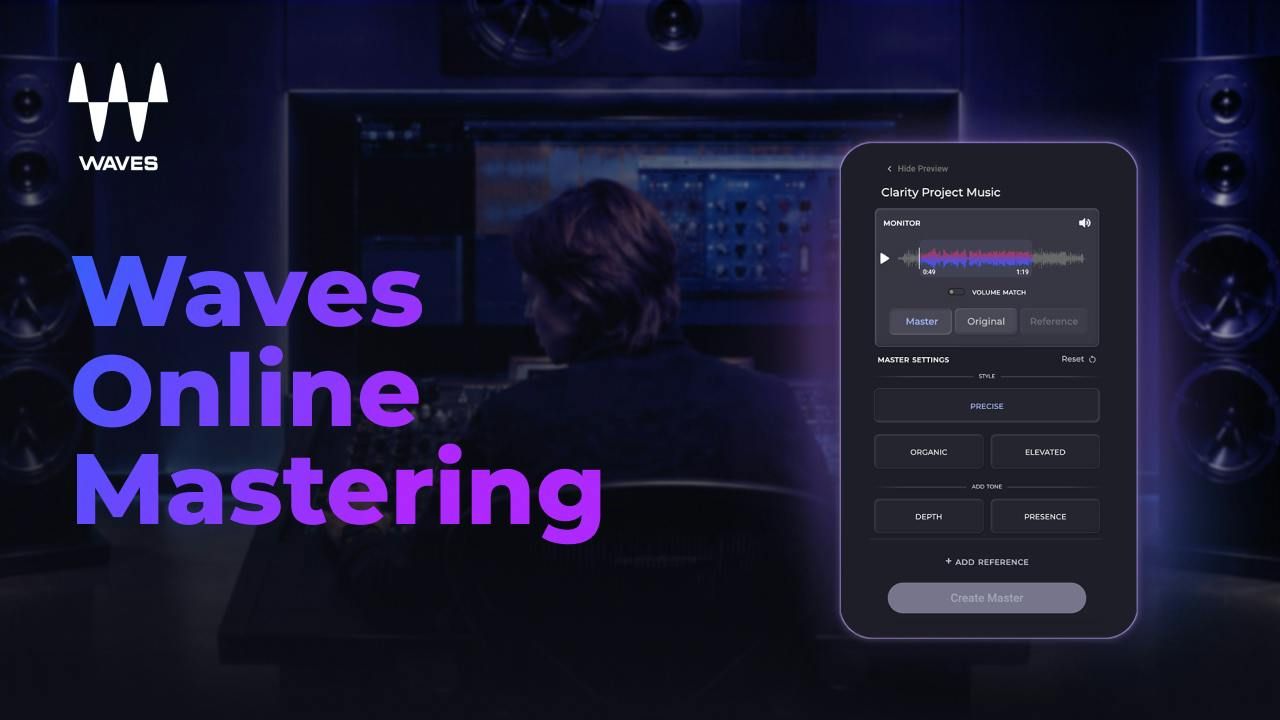
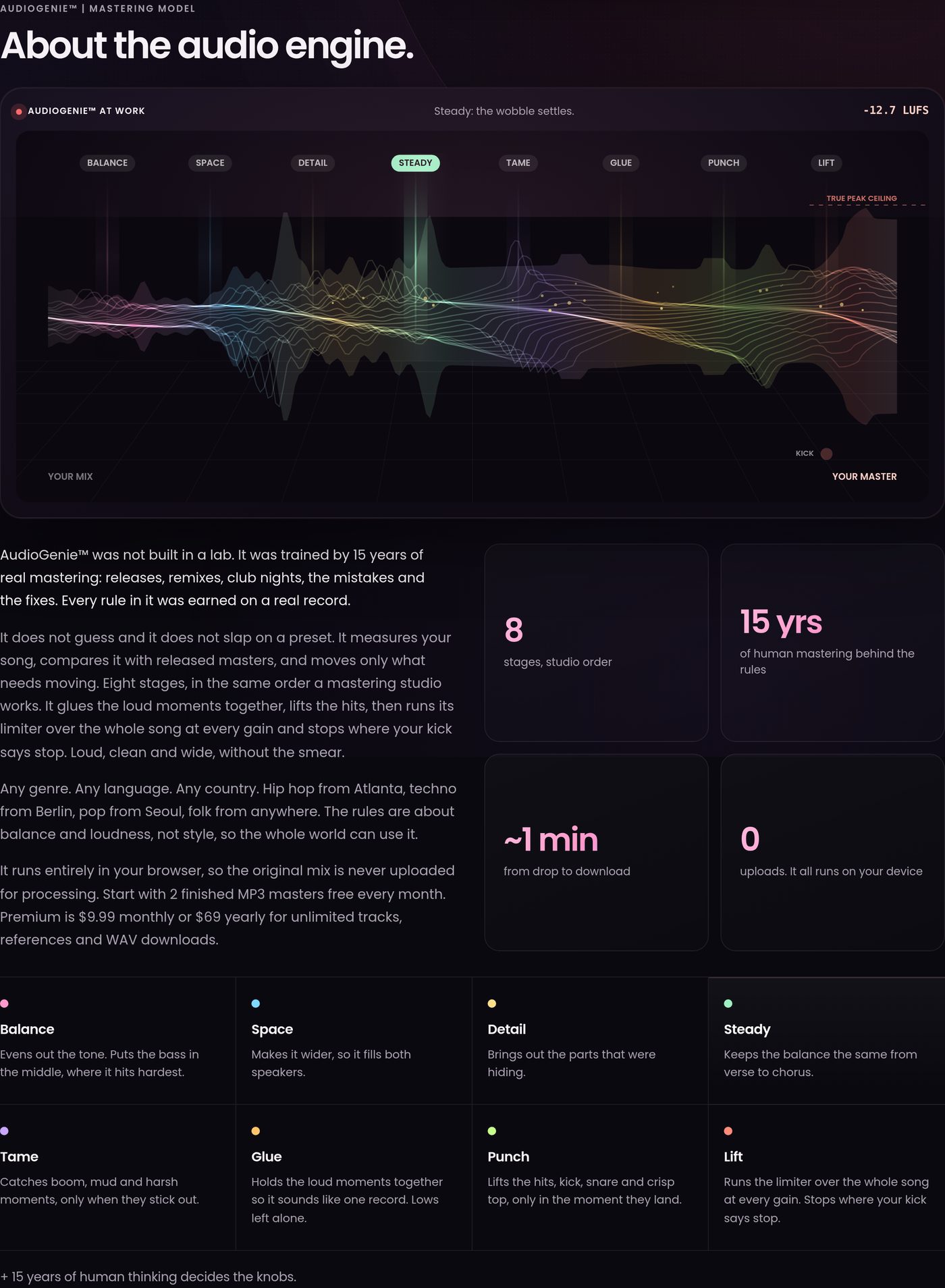
These are editorial examples, not endorsements or a buying list. Product names and interface images belong to their respective owners.
What you actually get
| Waves Online Mastering | SpinZ CZ | |
|---|---|---|
| Upload formats | WAV, AIF, AIFF, MP3 at 44.1 to 96 kHz, 16 to 32 bit. | WAV and MP3. |
| Export formats | WAV and MP3, 44.1 to 96 kHz, 16 or 24 bit. You choose at export. | WAV and MP3 are included with trials and Premium. |
| Style controls | Three styles, plus Depth and Presence tone controls. | Three tone directions, plus two loudness choices. |
| Reference mastering | Yes, upload a reference track. | Available to accounts with existing reference access. Not included in the free allowance. |
| Loudness target | No numeric target setting. Their FAQ says a reference track is the way to control it. | Two named choices, Club loud and Streaming safe. |
| Track length | 5 seconds to 12 minutes. | Up to 10 minutes per track with trials and Premium. |
| Mono and surround | Stereo only. They state they do not master surround. | Stereo. |
Waves wins the format table outright. Higher sample rates, a choice of bit depth at export, longer tracks and no tier gate on the file format you download. If you work at 96 kHz, that is a real reason to use them.
Where your audio goes
Waves is a cloud service and documents it clearly, which I appreciate. Uploads run on Microsoft Azure. If you are signed in, your masters and the original files are kept in your library for up to 180 days, unmastered originals for up to 90 days, and anything uploaded as a guest for 7 days. You can delete your files yourself at any time.
That is a better privacy disclosure than most services in this category manage. It tells you where the audio is, how long it stays and how to remove it.
SpinZ CZ works differently: the original is processed in your browser and is not uploaded for mastering. There is no retention window to quote because, for the processing itself, nothing is held.
Neither approach is automatically right. Cloud processing lets a service use far more computing power than a browser can. Browser processing means your unreleased track never leaves your machine. Pick the trade you prefer.
The thirty-second preview
Worth its own section, because it is the biggest practical difference in how the two feel to use.
Waves lets you preview any track for thirty seconds, as many times as you like, and refine it as much as you like before spending anything. You only pay when you export. That is a fair and confident way to sell something.
What it does not let you do is live with the result. Thirty seconds through laptop speakers is not the same as the full song in a car, on headphones and on a phone the next morning. You have to commit the credit to find out.
My free tier makes the opposite trade. 2 free trials shared across all online tools, downloadable, yours to live with. Then Premium unlocks unlimited use across all online tools. Fewer shots, but each one is the real thing.
Which is better depends on you: if you want to audition many settings on one song, Waves. If you want to properly test a finished master before deciding, mine.
When Waves is the better choice
- You release a handful of tracks a year. Paying per credit will cost you less, and credits do not expire.
- You work at high sample rates. They accept and export up to 96 kHz, and let you pick the bit depth.
- Your tracks run long. Twelve minutes against my ten.
- You want to try many settings before committing. Unlimited refinement during the preview stage is a genuinely good feature.
- You already live in the Waves ecosystem. One account, one login, one place for support.
Try SpinZ CZ for 2 free trials shared across all online tools and processing of the original on your device.